Quick income & expense entry
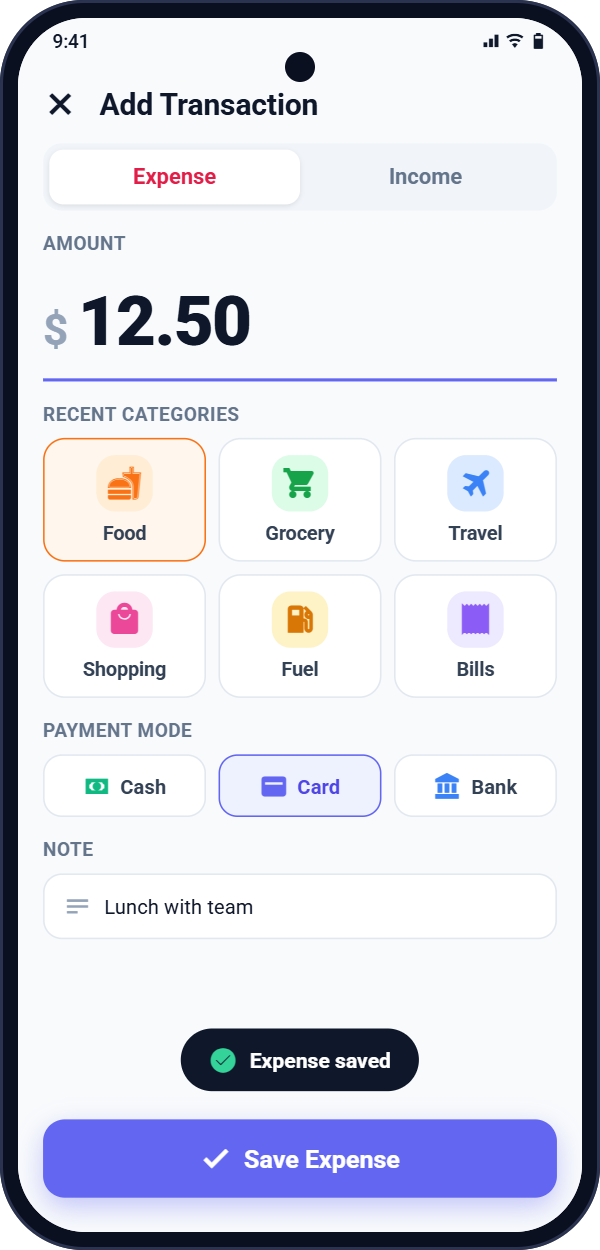
Record amount, category, payment mode, date, time and notes. Search and filter all your transactions in seconds.
My Wallet makes it effortless to log your spending, stay within your monthly budget and understand your money with clear reports. Your data stays on your phone.
Most money doesn't disappear in big purchases. It slips away in small, everyday ones. A few seconds a day with My Wallet turns those moments into a clear picture of your finances.
One small habit, seen over time:
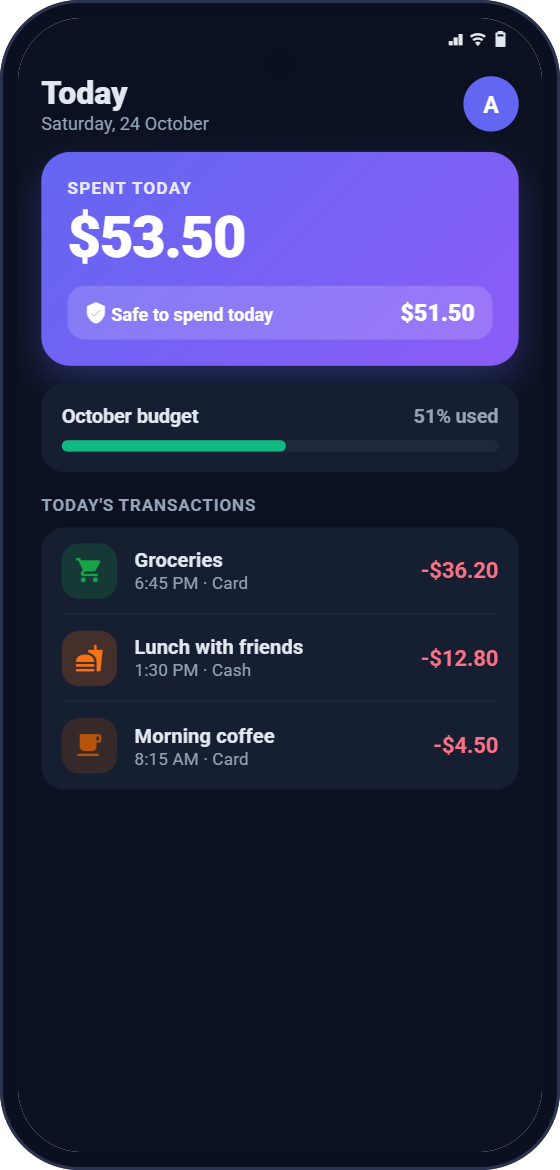
Amount, category, done. Your recently used categories and payment modes appear first, so a daily entry is quick enough to become a habit.
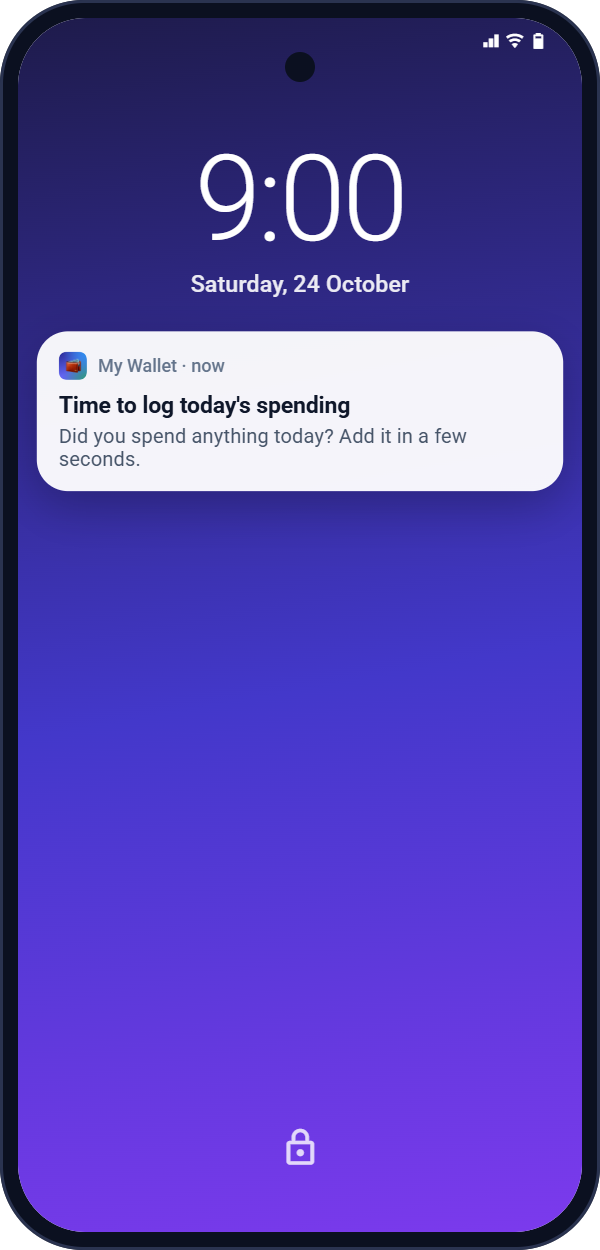
Choose a time and My Wallet reminds you to log the day's spending. Tap the reminder and the entry form opens straight away.
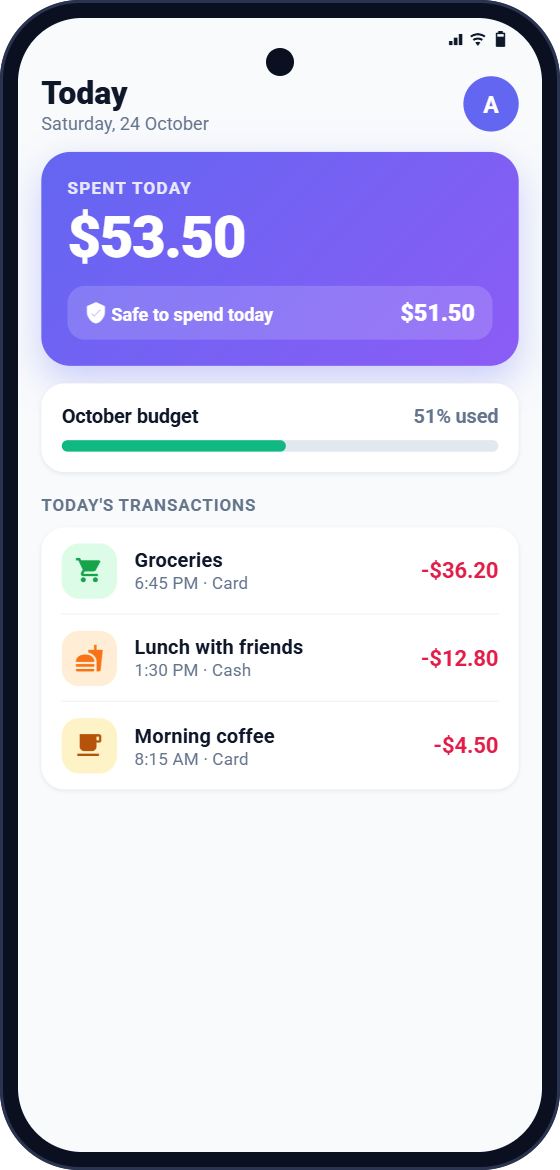
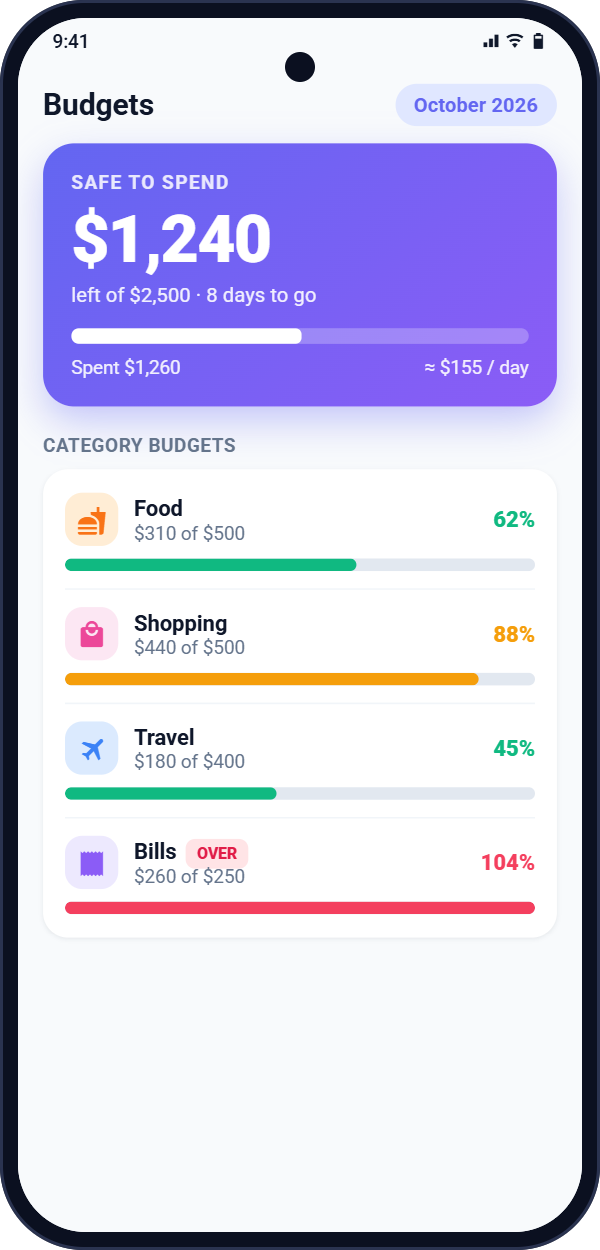
With a monthly budget, every entry updates how much you have left, so you can make better decisions before the month is over, not after.
The more consistently you log, the more accurate your category breakdowns, trends and monthly reports become.
A clean, fast app designed around one goal: helping you understand and control your money.
Record amount, category, payment mode, date, time and notes. Search and filter all your transactions in seconds.
Set an overall budget and per-category limits. Colour alerts warn you as you get close, and last month's budgets can be copied in one tap.
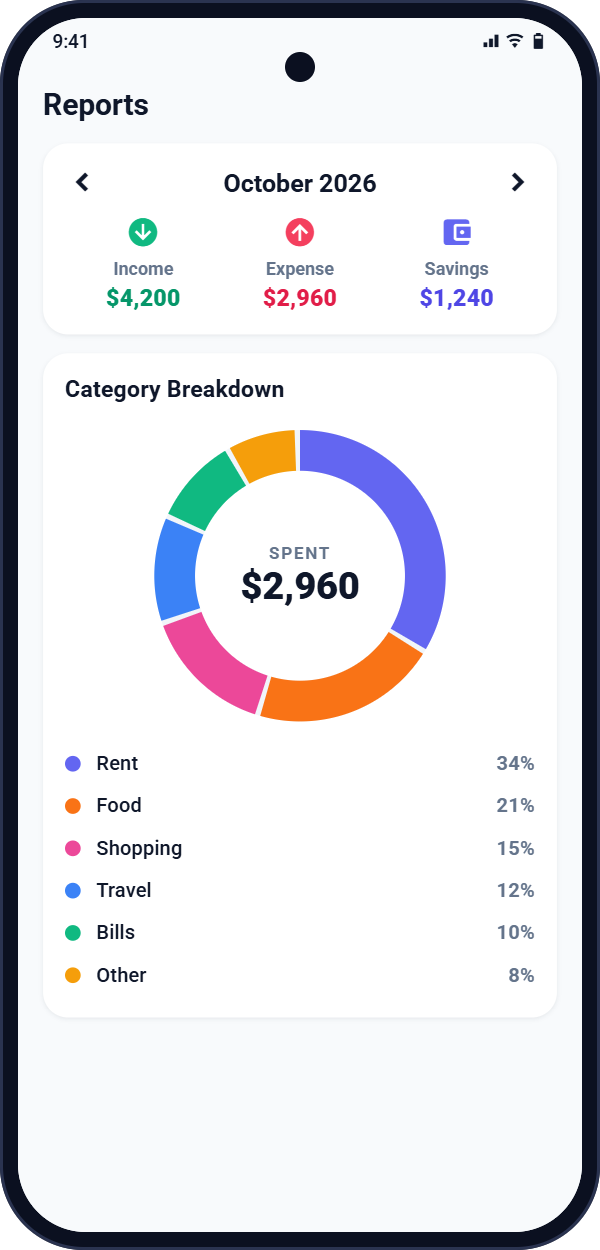
Monthly summary, category breakdown, income vs expense, spending trends and budget vs actual for the last six months.
Create a detailed monthly PDF report to keep or share, and export your transactions to Excel or CSV whenever you need them.
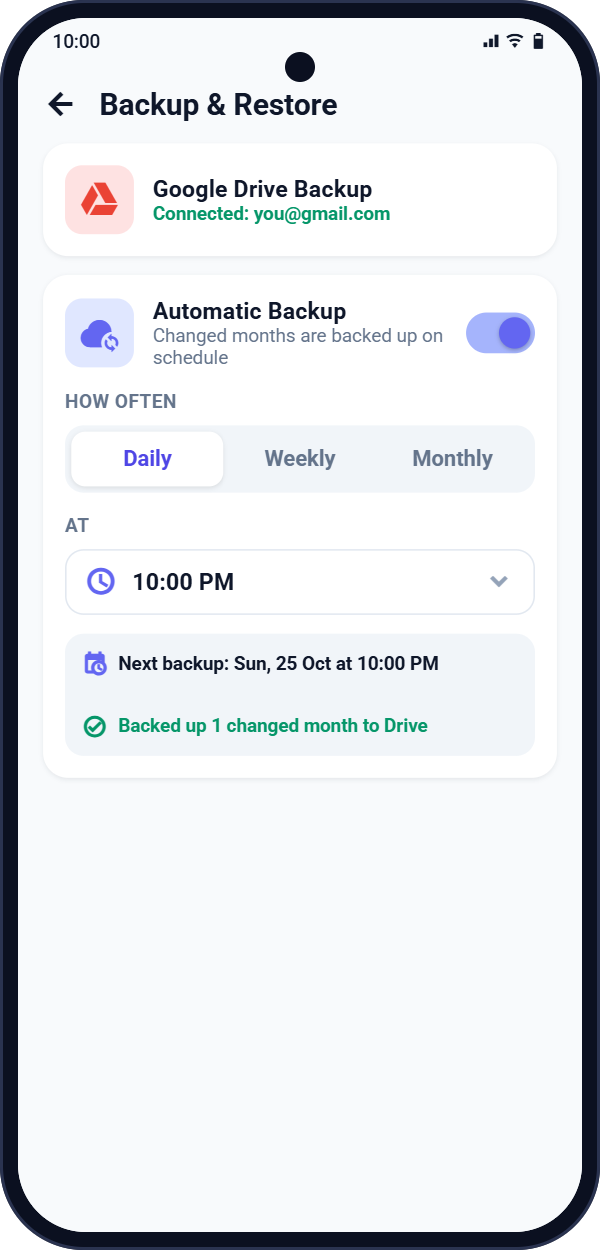
Back up daily, weekly or monthly at a time you choose, or manually at any time. Only months with changes are uploaded, to a private folder in your own Drive.
A notification at your chosen time so no expense is forgotten. It's created on your phone and works even when the app is closed.
Protect your finances with a 4-digit PIN and fingerprint or biometric unlock.
Choose from 35 currencies, including USD, EUR, GBP, INR, JPY, AED and more. Your chosen currency is shown everywhere in the app.
Ready-made categories plus your own with custom icons and colours. Light, dark and system themes.
Your daily entries come together in reports that show where your money goes, how this month compares to the last, and whether you're on track.
Clean screens, in light or dark mode.
Install My Wallet, pick your currency and, if you like, a monthly budget and app lock. No sign-up needed.
Add income and expenses as they happen, or when your daily reminder pops up. It takes just a few seconds.
Check your budget and reports, create a monthly PDF, and let automatic backup keep a copy in your Google Drive.
My Wallet has no servers that store your financial data. Everything you enter is saved on your phone, and backups go only to your own Google Drive, in a private app folder that only My Wallet can use.
Read the Privacy PolicyNo. My Wallet works fully on your phone without any account. Signing in with Google is optional and only needed if you want to back up to, or restore from, Google Drive.
Your transactions, budgets and settings are stored in the app's private storage on your phone. We don't run servers that receive or store your financial data.
My Wallet saves one backup file per month in a hidden app folder inside your own Google Drive, which only My Wallet can access. Only months that changed since your last backup are uploaded, and the app never deletes backup files from your Drive. You can restore one, several or all months on any device.
Yes. In Backup & Restore, turn on Automatic Backup and choose daily, weekly or monthly and a time. The backup runs at or shortly after that time when your phone is online. If your phone is off or offline, it runs the next time you open the app. Manual backup is always available too.
Install My Wallet on the new phone, sign in with the same Google account and restore your backups from Google Drive. You can also move your data with a local backup file.
Yes. Everything works offline. An internet connection is only needed for Google sign-in and Google Drive backup or restore.
35 currencies, including the US dollar, euro, British pound, Indian rupee, Japanese yen, UAE dirham, Australian and Canadian dollars and more. Your chosen currency is used across the app.
Yes. You can export transactions to Excel or CSV, create a monthly PDF report, save a local backup file, and import transactions from Excel (.xlsx, .xls) or CSV files.
You can delete individual entries in the app, or remove everything by clearing the app's storage or uninstalling it. Backups in Google Drive can be deleted from your Drive settings. See how to delete your data for step-by-step instructions.
A few seconds a day. A clear picture every month.
GET IT ONGoogle Play